
EveryOS
EveryOS is a self-hosted, desktop-style web GUI for Linux servers that brings Docker apps, files, a real terminal, system monitoring, updates and encrypted backups into one browser-based workspace.
Tech Stack :
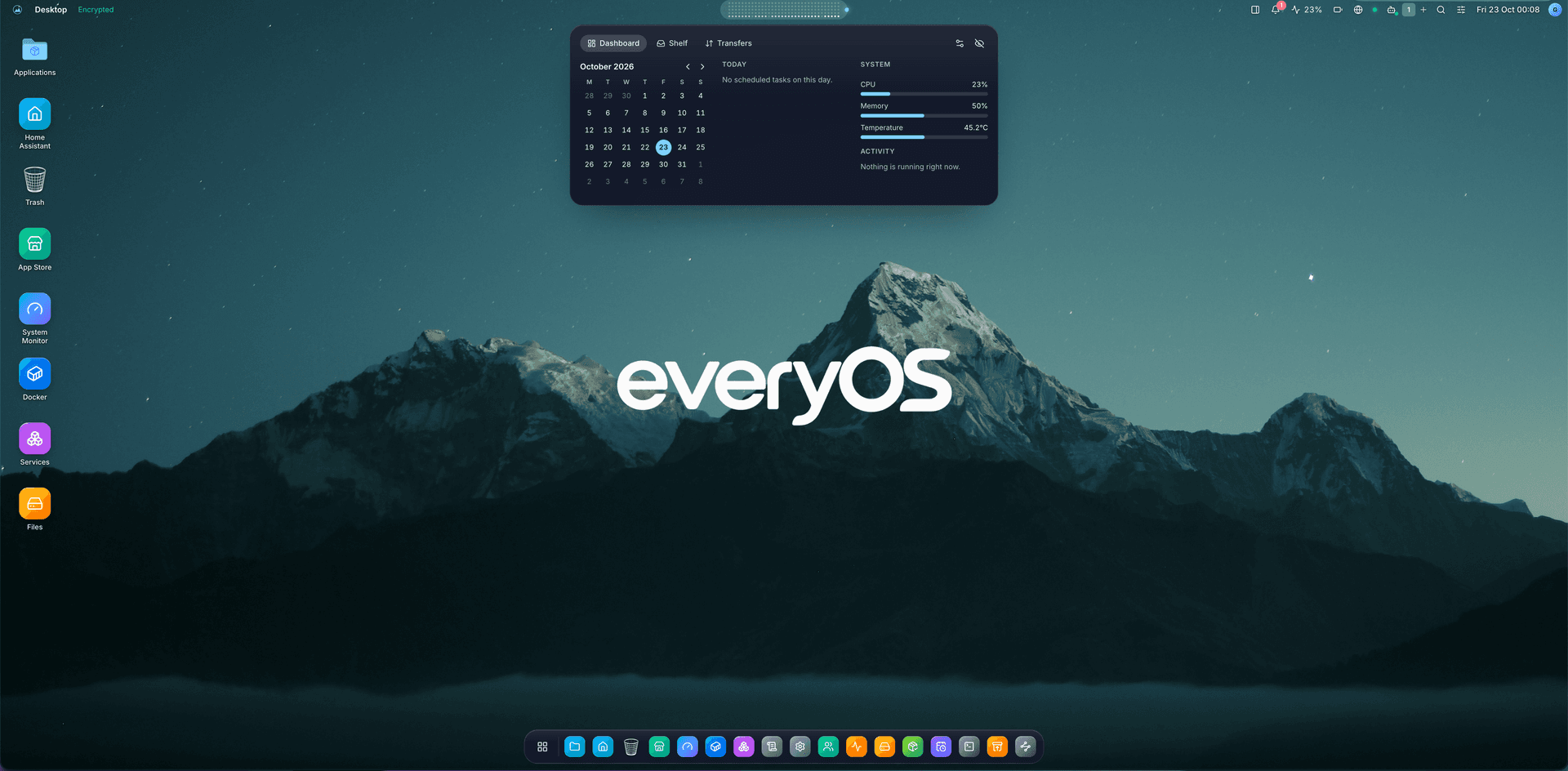
EveryOS 🖥️
EveryOS is a self-hosted, desktop-style web GUI for managing Linux servers. Install it on an existing Debian or Ubuntu machine and manage it from any browser on your laptop or phone: files, Docker apps, terminal, services, monitoring, updates and backups in one place.
EveryOS is not a new operating system or a VNC stream. Linux keeps running underneath, and EveryOS gives you a browser-based workspace on top of it.
✨ Features
- 🪟 Desktop in the browser – movable, snappable windows, virtual desktops, dock, launcher and widgets
- 🐳 Docker & App Store – install self-hosted apps from catalogs, manage containers and Compose projects, roll back deployments
- 🧩 Desktop apps & SDK – signed desktop apps in isolated windows, an official catalog and a community registry for your own apps
- 📁 Files & disks – private home folders, trash, one-click USB disk mounting and Google Drive integration
- 💻 Real terminal – a real Linux shell in the browser, tied to each user's own Linux account
- 📊 System monitoring – live CPU, memory, disk and network readings, systemd services, logs and package updates
- 🤖 AI assistants – chat with local models (Ollama, LM Studio, llama.cpp, vLLM), Hermes Agent or OpenClaw
- 🏠 Home Assistant – rooms, devices and live states in a dedicated panel and desktop widgets
- 🔔 Notifications – ntfy, Telegram, e-mail or webhook
- 💾 Encrypted backups – off-site copies to another disk, S3-compatible storage or Google Drive
- 🌍 10 languages – English, Turkish, German, Spanish, French, Italian, Japanese, Korean, Russian and Simplified Chinese
🏗️ Architecture
EveryOS runs as services on the Linux machine you want to manage:
-
Web Client (React) A desktop-style interface with windows, dock, widgets and apps.
-
API (Hono, unprivileged) Handles accounts, sessions, permissions and app data. It never runs as root.
-
Agent (privileged) Executes a defined set of validated system operations: Docker, disks, services, packages and Linux accounts.
-
Update Worker Installs signed releases and supervises package and database recovery.
🚀 Getting Started
Requirements
- Debian 12+, Ubuntu 22.04+ or a compatible APT/systemd host
- ARM64 or AMD64 (Raspberry Pi works too)
- Docker (optional, for Docker and App Store features)
Installation
The installer verifies the signed release and bundles its own Node.js runtime.
Open your workspace
Then open , enter the token and create your administrator account.
🛠️ Tech Stack
- TypeScript & Node.js (API, agent, CLI)
- React, Vite, Tailwind CSS, Radix UI, Zustand (web client)
- Hono & WebSocket (API and real-time updates)
- SQLite (application database)
- Docker & Docker Compose (self-hosted apps)
- CodeMirror, xterm.js, pdf.js, Excalidraw (official desktop apps)
- Cloudflare Workers, D1 & R2 (community app registry)
- Debian packages & systemd (distribution)
- Vitest & Playwright (testing), GitHub Actions (CI/CD)
🔐 Security
- Administrator, Operator and Viewer roles with server-enforced permissions
- Two-factor authentication with recovery codes
- Unprivileged API with a separate, validated privileged agent
- Audit log for security-relevant actions
- Ed25519-signed releases and app packages
📄 License
MIT License
🌐 Links
- GitHub: https://github.com/goktugcy/everyos
- Releases: https://github.com/goktugcy/everyos/releases
- Community Registry: https://registry.everyos.net
EveryOS brings everyday Linux server administration into a familiar desktop, right in your browser.